
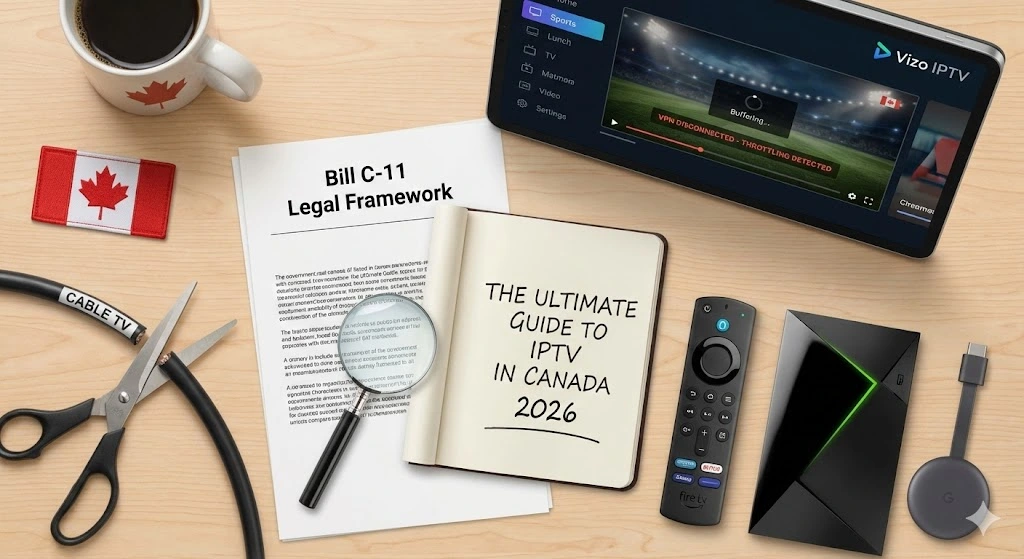
If you live in Canada, you know the pain of opening your monthly bill from Bell, Rogers, or Telus. We pay some of the highest prices in the world for television and internet. In 2026, the average Canadian cable package costs over $120 per month—often for channels you rarely watch and sports packages that are still blacked out half the time.
This financial frustration has led to a massive exodus. This is the era of Cord Cutting.
But where are people going? They are moving to IPTV (Internet Protocol Television). You have likely heard your coworkers or neighbors whispering about “The Stick” or “The Box” that gets every channel on earth for $15 a month.
But with great power comes great confusion. Is IPTV legal in Canada? Will you get fined? Which box should you buy? And why does it buffer at 8 PM every night?
In this massive 2026 Ultimate Guide, we are going to pull back the curtain on the entire industry. We will cover the laws, the hardware, the software, and the secrets to getting a perfect, buffer-free experience with providers like Vizo IPTV.
Chapter 1: What is IPTV and Why is Canada Obsessed?
IPTV stands for Internet Protocol Television. Unlike traditional cable, which sends signals through copper wires in the ground, or satellite, which beams them from space, IPTV sends live television through your internet connection.
If you watch YouTube or Netflix, you are already using a form of “IP Video.” IPTV just takes that technology and applies it to live broadcast channels like CBC, TSN, Sportsnet, CNN, and HBO.
Why Canada is the #1 Market for IPTV
Canadians are adopting IPTV faster than almost any other country. Why?
- The Oligopoly: Our telecom market is dominated by the “Big Three” (Bell, Rogers, Telus). Lack of competition keeps prices artificially high.
- Sports Blackouts: Canada has ridiculous blackout rules. You can pay for Sportsnet and still be blocked from watching the Leafs or Canucks game because you live in the “wrong” postal code. Premium IPTV services remove these blackouts entirely.
- Inflation: With the cost of groceries and housing in 2026, saving $100/month on TV is no longer a luxury—it’s a necessity for many families.
Chapter 2: The Elephant in the Room — Is IPTV Legal in Canada?
This is the most common question we get: “Will the RCMP knock on my door if I use IPTV?”
The answer lies in a legal “Grey Area” that is unique to Canada.
The Copyright Act & Bill C-11
In Canada, the laws focus heavily on the distributor (the person selling the service), not the viewer (you).
- Selling is Illegal: If you set up a server in your basement and sell subscriptions, you are breaking the law. This is why you see news stories about police raiding server farms.
- Streaming is (Mostly) Grey: Canadian copyright law differentiates between “downloading” (making a permanent copy) and “streaming” (watching a temporary data stream).
- Bill C-11 (The Online Streaming Act): Passed recently, this bill aims to regulate “web giants” like Netflix and YouTube. While it gives the CRTC more power, it does not criminalize the individual user for watching a stream.
The “Notice and Notice” Regime
Have you ever downloaded a movie and received a scary-looking email from your Internet Provider (Bell/Rogers) forwarded from a movie studio? This is called “Notice and Notice.”
- What it means: Copyright holders monitor IP addresses. If they see yours, they send a notice to your ISP. Your ISP is legally required to forward it to you.
- The Reality: In Canada, these are mostly warnings. Unlike in the US, there is a “cap” on statutory damages for non-commercial infringement (usually $5,000 max), but it is extremely rare for companies to sue individual users because legal fees cost more than the fine.
The Verdict: While we are not lawyers, the consensus in 2026 is that selling IPTV is illegal, but watching it falls into a legal grey zone where individual users are rarely, if ever, targeted. However, to protect your privacy from prying eyes (and those “Notice” emails), 99% of IPTV users use a VPN.
Chapter 3: The Hardware Battle (Firestick vs. Android Box)
To watch IPTV in Canada, you need a device. Your Smart TV (Samsung/LG) is usually not enough because their app stores block the best IPTV apps. You need an external media player.
Here is the ranking of the best hardware for 2026:
1. The King: Nvidia Shield TV Pro ($260 CAD)
If you have the budget, this is the beast.
- Pros: It uses AI Upscaling to make 1080p sports look like 4K. It is incredibly fast and has a Gigabit Ethernet port built-in.
- Cons: Expensive.
- Best For: Power users who want zero lag and the best picture quality.
2. The People’s Champion: Amazon Firestick 4K Max ($70 CAD)
This is the device 80% of our customers use. It is affordable, powerful, and easy to “jailbreak” (enable developer options).
- Pros: Cheap, supports WiFi 6 (great for speed), and handles 4K HDR perfectly.
- Cons: No built-in Ethernet port (requires an adapter).
- Best For: Everyone. It is the best bang-for-your-buck device.
⚠️ Deep Dive: Why “Cheap” Android Boxes Are a Scam
You have seen them on Amazon or AliExpress: “Android 13 TV Box – 8K Ultra HD – 1000 Channels – Only $40.”
It is tempting, but here is the technical reality of why these devices kill your IPTV experience:
- Fake Specs: These boxes often claim to have 4GB of RAM, but if you run a benchmark test, they often only have 1GB. This causes the menu to lag and the stream to stutter.
- Overheating: High-quality streaming (especially 4K) generates heat. The Nvidia Shield and Firestick have engineered heat sinks. Cheap boxes use plastic cases with zero ventilation. After 45 minutes of hockey, the CPU gets too hot and throttles itself, causing your stream to freeze.
- No Widevine L1 Certification: This is the secret DRM key required to watch Netflix or Prime Video in HD. Most cheap boxes lack this license. Even if you only care about IPTV, this certification is a sign of a legitimate processor. Without it, you are buying e-waste.
Our Advice: If you can’t afford an Nvidia Shield, buy a Firestick 4K Max or a Google Chromecast with Google TV. Do not waste $50 on a generic box that will overheat in a month.
Chapter 4: The Software (Apps)
Once you have your Firestick, you need an “App” (or Player) to run your subscription. Your provider gives you the content, but the App is the TV Guide.
1. TiviMate (The Gold Standard)
If you are serious about IPTV, you need TiviMate. It is an Android-only app that looks exactly like a Rogers/Bell cable box.
- Features: Multi-view (watch 4 channels at once—perfect for NFL Sundays), recording, and extremely fast channel zapping.
- Cost: It has a free version, but the Premium (~$35/year) is worth every penny.
Mini-Tutorial: How to Configure TiviMate for Maximum Speed
Since TiviMate is the industry standard, here is how to optimize it for Canadian internet connections:
1. Adjust the Buffer Size: By default, TiviMate has a “None” or “Small” buffer to make channel zapping fast. However, if your WiFi fluctuates, this causes freezing.
- Go to: Settings > Playback > Buffer Size.
- Change to: Large. (This adds a 2-3 second delay but ensures smooth playback).
2. Turn on Auto Frame Rate (AFR): Have you ever watched a movie and felt like the motion was “jerky”? That’s because North American TV is 60Hz, but movies are 24Hz.
- Go to: Settings > Playback > AFR.
- Set to: On. (This forces your TV to switch its refresh rate to match the content, making sports look buttery smooth).
2. IPTV Smarters Pro (The Reliable Free Choice)
This is the most popular app in the world because it is free and works on almost everything (Firestick, Android, Apple, LG TVs).
- Features: Simple interface, catch-up TV support, and master search.
- Verdict: A great place to start if you are new.
Chapter 5: How Canadian ISPs Fight Back (Throttling)
Have you ever noticed that your internet is fast during the day, but at 8:00 PM when the hockey game starts, your IPTV starts buffering?
You are likely a victim of Traffic Shaping (Throttling).
The “Bell & Rogers” Deep Dive: How They Detect You
In 2026, Canadian ISPs use sophisticated Deep Packet Inspection (DPI).
Imagine your internet traffic is like an envelope.
- Normal Browsing: They look at the address on the envelope (IP address) to deliver it.
- DPI: They steam open the envelope and read the letter inside.
If you are using Vizo IPTV without a VPN, your ISP can see the “headers” of your data packets. If those headers say “MPEG-TS” (the format of live video) and the destination is a known IPTV server IP, their automated system tags your connection as “Low Priority.”
This is why you might get 500Mbps on a speed test (which is “High Priority” traffic) but only 5Mbps on your IPTV stream.
The Solution: Use a VPN
A VPN (Virtual Private Network) is not just for privacy; it is an anti-throttling tool.
- How it works: It wraps your internet traffic in an encrypted bubble (like a steel box).
- The Result: Your ISP can see that you are downloading data, but they cannot see what it is. Because they can’t classify it, they are forced to treat it as “Neutral Traffic,” giving you full speed.
Chapter 6: How to Spot a Scam Provider
The IPTV world is full of “fly-by-night” sellers. Here is how to protect yourself in 2026.
🚩 Red Flag 1: “Lifetime Subscription”
There is no such thing as a lifetime subscription. Server costs are monthly. If someone sells you a “Lifetime” deal for $50, they are planning to shut down the server in 3 months and run with your money. Always pay monthly or quarterly.
🚩 Red Flag 2: No Trial Offered
Legitimate providers are confident in their service. They will always offer a 24-hour trial (sometimes free, sometimes for a small fee to prevent spam). If they demand you buy a year upfront without testing, run away.
🚩 Red Flag 3: 100,000 Channels
Quality over Quantity. If a provider claims to have 100,000 channels, 90,000 of them are broken, foreign duplicates that you will never watch. A good provider like Vizo IPTV focuses on 20,000 high-quality channels that actually work.
Chapter 7: Why Choose Vizo IPTV?
We built Vizo specifically for the Canadian market. We didn’t just rent a cheap server in Europe; we optimized our routing for North American internet.
- Anti-Freeze Technology: We use load balancers to distribute traffic. If one server gets hit with heavy traffic during the Super Bowl, you are instantly moved to a backup node.
- Canadian Focus: We prioritize CBC, CTV, Global, Sportsnet, and TSN feeds. We know you don’t want the UK feed of the news—you want your local Toronto or Vancouver news.
- Support: We don’t hide. We have support channels to help you set up your Firestick or TiviMate.
Chapter 8: Frequently Asked Questions (FAQ)
Q: Do I need a satellite dish for IPTV? A: No. No cables, no dishes, no technician visits. You just need high-speed internet (25Mbps+) and a Firestick.
Q: Can I watch on my phone? A: Yes. With Vizo IPTV, you can install an app like IPTV Smarters on your iPhone or Android and watch TV on the bus, at work, or at the cottage.
Q: Does IPTV use a lot of data? A: Yes. Streaming HD requires about 3GB per hour. Streaming 4K requires 7GB+ per hour. We strongly recommend having an Unlimited Data Plan with your ISP.
Q: My sound is out of sync. How do I fix it? A: This is usually a “decoding” error. In your app (TiviMate/Smarters), go to Settings > Player and change the “Decoder” from Hardware to Software (or vice versa). This usually syncs the audio instantly.
Conclusion: Ready to Cut the Cord?
In 2026, there is no reason to pay $150 a month for cable TV. The technology has matured, the apps are professional, and the picture quality often beats traditional cable.
By following this guide—getting a Firestick 4K, using a VPN to stop throttling, and choosing a premium provider like Vizo—you can save over $1,000 a year without missing a single goal, touchdown, or breaking news story.