
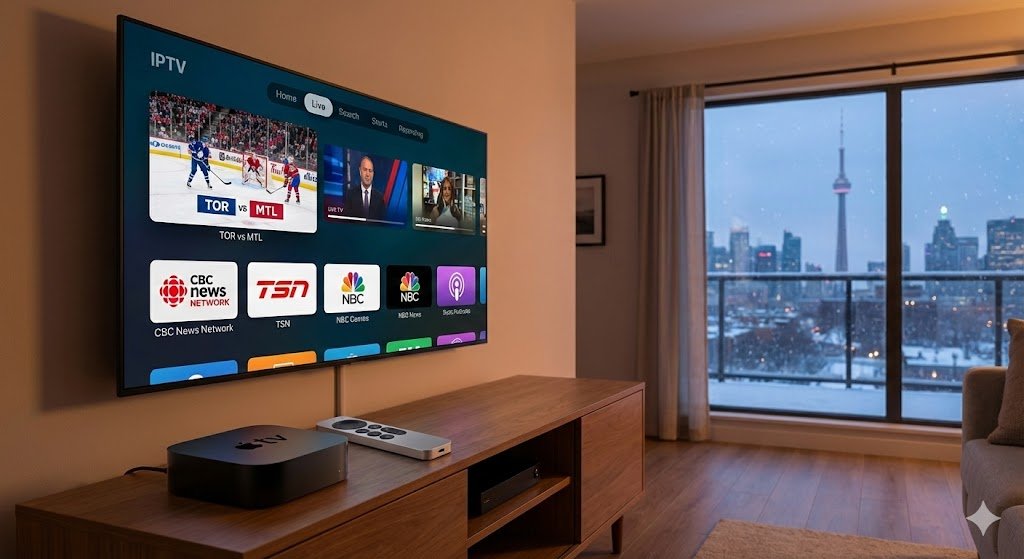
If you are a Canadian looking to cut the cord, you likely know the struggle: cable bills from Bell or Rogers are skyrocketing, yet you still want premium quality. For hardware enthusiasts, there is no better streaming device than the Apple TV 4K. Its processor is unmatched, its picture quality is crisp, and the interface is buttery smooth.
However, unlike Android devices, Apple’s ecosystem is a walled garden. This leaves many users asking: Is it possible to watch IPTV on Apple TV 4K?
The answer is a resounding yes. In fact, once configured correctly, the Apple TV 4K offers perhaps the most stable and visually stunning IPTV experience available. This guide will walk you through everything you need to know to Stream Live TV on your Apple device.
Why Apple TV 4K is the King of IPTV
While a $50 Firestick gets the job done, the Apple TV 4K is in a league of its own. When you run IPTV on Apple TV 4K, you aren’t just watching TV; you are using a device with the A15 Bionic chip (the same powerful brain found in iPhones).
- Upscaling: It takes 1080p IPTV streams and upscales them to near-4K quality better than any budget box.
- No Lag: Menu navigation is instant. No stuttering, no freezing while scrolling through thousands of channels.
- Hardwired Stability: The Ethernet port on the Apple TV 4K is crucial for Canadian internet speeds, ensuring a stable connection.
The Best IPTV Apps for Apple TV
Because you cannot “sideload” apps on Apple TV easily (like you can on Android), you must rely on legitimate players available in the App Store. Fortunately, developers have created some stunning applications.
Here are the Best IPTV Apps for Apple TV currently available:
1. IPTVX (The “Netflix” Experience)
If you want your IPTV service to look like Netflix, this is the app. It uses metadata to pull in movie posters, episode descriptions, and cast info. It is visually beautiful and fully optimized for the Apple remote.
2. Snappier IPTV
This is a favorite for power users. It supports multiple playlists and offers “Multi-View,” allowing you to watch two sports games at once—a game-changer for Hockey Night in Canada.
3. UHF
A newer entrant that is gaining massive popularity for its clean design and incredibly fast video player. It handles high-bitrate 4K streams with ease.
Step-by-Step: Setup IPTV on Apple TV
Setting up your service is slightly different than on other devices. Since you cannot type easily with the remote, most apps use a web dashboard or Xtream Codes login.
Follow this simple guide to Setup IPTV on Apple TV:
- Download the Player: Open the App Store on your Apple TV and search for “IPTVX” or “Snappier.” Install the app.
- Select Your Login Method: Open the app. You will typically see an option to “Add Playlist.” Choose Xtream Codes API (this is the most stable method).
- Enter Credentials: You will need the Server URL, Username, and Password provided by your IPTV Canada provider.
- Pro Tip: If the typing is tedious, use the “Remote” feature on your iPhone to type the credentials quickly using your phone’s keyboard.
- Sync and Watch: Click “Connect.” The app will take a moment to download the channel list and EPG (TV Guide). Once finished, you are ready to Stream Live TV.
Optimizing for IPTV Canada
Using IPTV on Apple TV 4K in Canada comes with unique challenges, primarily related to Internet Service Providers (ISPs).
Canadian ISPs are known for “throttling” streaming traffic during peak hours (like 8 PM EST). To ensure your Apple TV performs flawlessly:
- Use Ethernet: Wi-Fi is great, but a hardwired Ethernet cable connected directly to your router beats it every time for live streaming.
- DNS Settings: Changing your DNS settings in the Apple TV network menu to Cloudflare (1.1.1.1) can sometimes bypass basic ISP routing issues and speed up channel zapping.
Conclusion: The Premium Choice
While it may take a few extra dollars to buy the app (IPTVX and others usually have a small premium fee), the experience is worth it. Watching IPTV on Apple TV 4K provides a level of polish, speed, and picture quality that cheap Android boxes simply cannot match.
Stop settling for clunky interfaces. Pair your high-end TV with the best streaming box and enjoy your favorite content the way it was meant to be seen.