
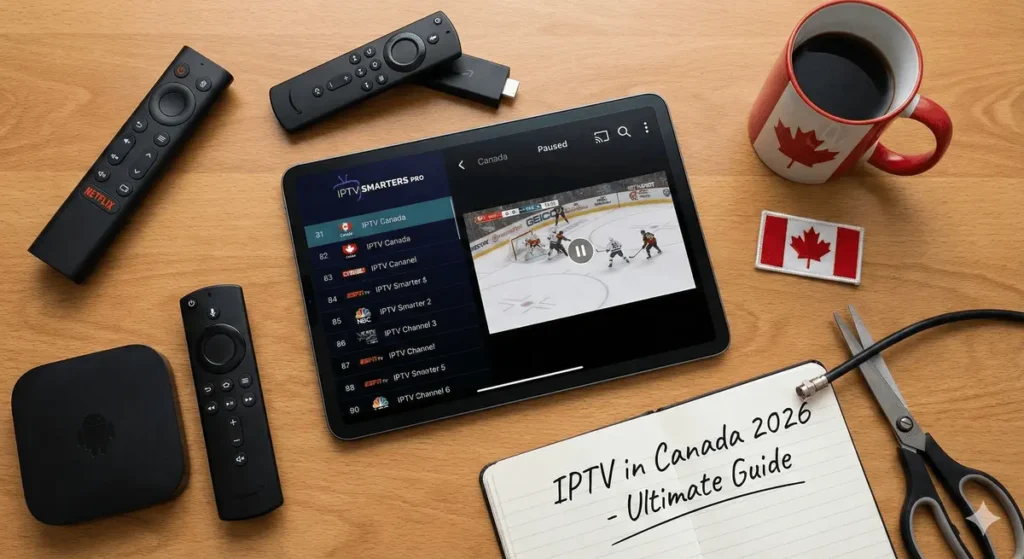
The landscape of home entertainment in Canada has changed drastically. Gone are the days when a technician from Rogers or Bell had to drill holes in your wall just to give you a basic cable package for $120 a month. In 2026, the power is in the hands of the consumer.
We are living in the golden age of streaming. However, navigating this world can be confusing. You hear terms like “Android Boxes,” “Smarters Pro,” and “Server Stability” thrown around. What do they mean? Do you need a dedicated box, or just an app? And why does “Canadian” IPTV matter?
This comprehensive guide will break down everything you need to know about switching to IPTV from Canada, choosing the right IPTV box, and mastering the software standard, IPTV Smarters Pro.
Part 1: Why “IPTV From Canada” Matters (Location & Latency)
When looking for a service, many people simply type “IPTV” into Google and buy the first $5 subscription they see. This is usually a mistake. Often, these cheap services are hosted on servers in Europe or Asia.
To understand why this is a problem, you need to understand how the internet works. When you watch a live stream, data packets travel from the server to your home. The further the physical distance, the higher the “latency” (lag).
The Importance of Local Routing
Choosing a provider that specializes in IPTV from Canada means their servers are optimized for North American routing.
- Reduced Latency: If you are in Toronto and the server is in Montreal, the signal travels instantly. If the server is in Germany, the signal has to cross the Atlantic Ocean. This is why cheap international streams often buffer or loop.
- Local Content Focus: A provider focusing on the Canadian market prioritizes the channels you actually watch. They ensure that CBC, TSN, Sportsnet, and Global are in Full HD (1080p) or 4K. International providers often treat Canadian channels as an afterthought, providing low-quality standard definition (SD) feeds.
- Time Zone Support: If you have an issue at 7:00 PM EST, you want customer support that is awake in your time zone, not sleeping in a different hemisphere.
The Verdict: Always look for a provider that explicitly mentions North American or Canadian servers. It is the single biggest factor in eliminating buffering.
Part 2: The Hardware Debate — Do You Need an IPTV Box?
One of the most common questions beginners ask is: “Can I just use my Smart TV, or do I need an IPTV box?”
While you can use a Smart TV (Samsung or LG), we almost always recommend using a dedicated device. Here is the deep dive into the IPTV with box setup versus the Smart TV setup.
The Limitations of Smart TVs
Smart TVs are great for Netflix and YouTube, but they struggle with IPTV for two reasons:
- Processor Power: IPTV apps require significant processing power to decode live streams, especially in 4K. TV processors are generally weak and slow.
- App Availability: Samsung (Tizen OS) and LG (WebOS) have “walled gardens.” They often block or remove the Best IPTV apps from their stores, forcing you to use inferior, buggy alternatives.
The Power of the IPTV Box
An IPTV box is a dedicated media streaming device that connects to your TV via HDMI. It handles the heavy lifting of processing the video signal.
1. The High-End Choice: Nvidia Shield TV Pro
If budget is not an issue, this is the undisputed king. It uses AI upscaling to make HD sports look like 4K. It has a Gigabit Ethernet port for the most stable connection possible. It is overkill for some, but it guarantees a lag-free experience.
2. The Budget King: Amazon Firestick 4K Max
While technically a “stick” and not a “box,” this device functions identically. It is the most popular device for IPTV from Canada because it is affordable (~$70 CAD), powerful, and easy to “jailbreak” (enable developer options) to install third-party apps.
3. The “Generic” Android Box Trap
Warning: Be very careful when buying generic “Android Boxes” from marketplaces like AliExpress or Amazon with names you’ve never heard of (e.g., “T95,” “MXQ Pro”). These boxes often advertise “8K Support” and “4GB RAM,” but they lie about their specifications. They often use cheap components that overheat, causing your stream to freeze after 30 minutes of watching. When we discuss the “Best IPTV” setup, we explicitly advise against these cheap generic boxes. Stick to reputable brands like Nvidia, Amazon, or Google (Chromecast with Google TV).
Part 3: The Software Standard — Mastering IPTV Smarters Pro
Once you have your hardware (your Firestick or Nvidia Shield) and your subscription, you need an interface to watch your content. This is where the “App” comes in.
The industry standard for years has been IPTV Smarters Pro.
What is IPTV Smarters Pro?
It is crucial to understand that IPTV Smarters Pro does not provide any content. It is a video player. Think of it like a web browser (Chrome/Safari): the browser doesn’t create the websites; it just displays them. Smarters Pro displays the content provided by your IPTV service.
Why is it the Market Leader?
- User Interface (UI): It looks almost identical to a traditional cable or satellite box interface. This makes it very family-friendly. If you can use a Rogers box, you can use Smarters.
- Multi-Screen: One of the killer features of Smarters Pro is the ability to watch up to 4 channels simultaneously on one screen. This is a dream for sports fans on Sundays who want to watch multiple NFL games at once.
- Master Search: You can search for “Batman,” and it will scour Live TV, Movies, and Series simultaneously to find every instance of that keyword.
- External Player Support: If a specific movie isn’t playing correctly, Smarters allows you to switch the backend player to VLC or MX Player seamlessly.
How to Install Smarters on Firestick (Brief Guide)
Since Smarters is not in the Amazon App Store, you must “sideload” it.
- Install the “Downloader” app from the Amazon Store.
- Open Downloader and enter the shortcode for Smarters (often provided by your service, or easily found online).
- Install the APK file.
- Login using the Xtream Codes API. This is the standard login method where you enter:
- Any Name
- Username
- Password
- Server URL (http://…)
Pro Tip: While IPTV Smarters Pro is excellent, there is a premium version. However, for 95% of users, the free version contains every feature you need.
Part 4: Defining the “Best IPTV” — What to Look For
With thousands of providers available, how do you determine the Best IPTV service? It is not about who has the most channels (quality over quantity matters). Here are the technical criteria you should judge a service by.
1. Anti-Freeze Technology (H.265/HEVC)
The Best IPTV providers use modern compression technology called HEVC (High-Efficiency Video Coding). This allows high-quality images to be transmitted using less bandwidth. If a provider is using old technology, you will experience buffering during peak hours (like the Super Bowl or Stanley Cup Finals).
2. EPG (Electronic Program Guide)
A service without a working EPG is useless. You need to see what is playing now and what is on next. The best providers update their EPG every 24 hours automatically. If you see “No Information” next to every channel, you are using a low-tier service.
3. Catch-Up TV
Life is busy. You can’t always watch the news at 6:00 PM. Best IPTV services offer a “Catch-Up” feature (usually indicated by a small clock icon next to the channel). This allows you to rewind a live channel up to 3-5 days in the past to watch a show you missed.
4. VOD (Video on Demand) Library
A top-tier subscription isn’t just live TV; it replaces Netflix, Disney+, and Crave. It should come with a library of over 50,000 movies and series, updated daily with new releases.
Part 5: Comparing Setups — Smart TV vs. Dedicated Box
To summarize the hardware debate, let’s look at the pros and cons of an IPTV with box setup versus a naked Smart TV setup.
Option A: Smart TV Only (No Box)
- Pros: No extra cost, one less remote to lose, clean setup (no wires).
- Cons: Apps are slow and clunky. WiFi cards in TVs are notoriously weak. You cannot use IPTV Smarters Pro easily on many TVs (Samsung/LG), forcing you to use inferior apps like “Smart STB” or “IBO Player” which often require their own activation fees.
- Verdict: Only do this if you absolutely cannot spend $50 on a Firestick.
Option B: Dedicated IPTV Box (Firestick/Shield)
- Pros: Faster menu navigation. Better WiFi reception. Access to the full Android ecosystem (VPNs, Speed Testers, Browsers). Ability to clear cache easily to fix issues.
- Cons: Small upfront cost ($50-$250).
- Verdict: This is the professional way to stream. Using an IPTV box ensures longevity. If the box gets old, you replace the $50 box, not the $2000 TV.
Part 6: Troubleshooting & The “Throttling” Issue
Even with the Best IPTV provider and a fast IPTV box, you might encounter buffering. In Canada, the culprit is often your Internet Service Provider (ISP).
ISP Throttling
Bell, Rogers, and Telus know when you are streaming. During peak hours (8 PM – 11 PM), they often “throttle” (slow down) streaming traffic to manage network congestion. Because IPTV traffic looks different from Netflix traffic, it is often targeted first.
The VPN Solution
If you have a great internet speed (e.g., 500Mbps) but your IPTV Smarters Pro is buffering, you are likely being throttled. The solution is a VPN. A VPN encrypts your traffic. Your ISP can see that you are using data, but they cannot tell what it is (video, web browsing, or gaming). Because they cannot identify it as streaming, they cannot throttle it.
- Recommendation: If you are serious about IPTV from Canada, budget an extra $5/month for a reputable VPN to run on your box.
Conclusion: Making the Right Choice in 2026
Cutting the cord is a journey. It requires a small initial investment in learning and hardware, but the payoff is massive savings and superior content availability.
To recap your roadmap to success:
- The Source: Choose a provider that specializes in IPTV from Canada to ensure low latency and high-quality local sports.
- The Hardware: Don’t rely on your TV. Invest in a solid IPTV box like a Firestick 4K Max or Nvidia Shield. Avoid generic “Android Boxes” that overheat.
- The Software: Install IPTV Smarters Pro for the best user interface, multi-screen capabilities, and master search.
- The Criteria: Look for Anti-Freeze technology, a working EPG, and a massive VOD library when selecting the Best IPTV service.
By following this guide, you will enjoy a premium entertainment experience that rivals—and often exceeds—traditional cable, for a fraction of the price.